
Yesterday (October 17) at 4 pm, the long-awaited Steam version update of "Black Myth: Wukong" was finally launched. The update size is 5.7GB and the update version number is 1.0.20.22023.
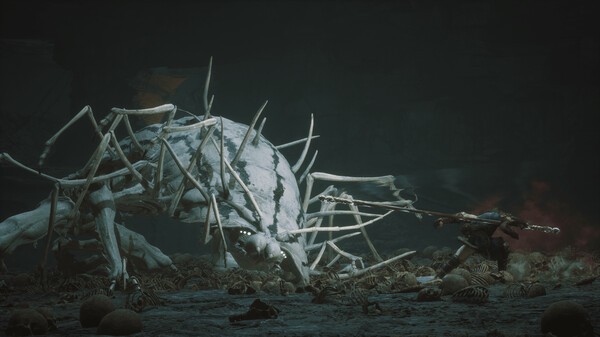
This update is the same as the previously detailed update. The update will cause MOD version compatibility issues, causing the game to fail to launch and the file to be corrupted or an error pop-up window to be triggered during the game.It is recommended to uninstall the MOD before updating.In addition, due to the Steam platform update mechanism, players need to reserve a certain amount of free disk space in advance (not necessarily on the same disk) for temporary storage of update files.
If you encounter an abnormal update size during the patch installation process, or freeze/crashes/cannot enter the game after the update, please refer to the game installation and patch update FAQ on the official website
Game installation and patch update FAQ: Click here
This update may require recompiling shaders. If you encounter a crash problem during shader compilation, please try to restart the game until compilation is completed or skip shader compilation. For details, please refer to the Game Screen Performance FAQ
Game Screen Performance FAQ: Click here
The complete update is as follows:
Experience optimization
monster
Optimize the combat experience of [Demon King·Dashi Gandang]
interaction
When the destiny person does not obtain the [Travel Map] corresponding to the land boundary, he will be prompted to go to the Earth Temple to shrink the land in the Travel Map interface.
Optimize the readability of cleared markers on the loading archive interface
performance
Integrated AMD FSR4 technology. When using hardware that supports related technologies, you need to update the driver and enable FSR4 in the driver settings interface. You can enable this option in the settings interface.
Optimize compatibility mode.Now that compatibility mode is enabled, ray tracing, frame generation, and some super-resolution sampling functions will be temporarily turned off to help players avoid problems that cause the game to be inaccessible due to driver, hardware, and system abnormalities.
Adjust the default image quality options of some graphics cards to match various graphics changes in the current game version
Significantly improves the lighting quality when the global illumination level is low, and is closer to the effect when the global illumination level is high.
Optimize CPU performance and rendering performance in many scenarios
Optimize memory usage in many scenarios
Optimized the quality of motion blur to alleviate the problem of aliasing in the image when the camera is turned
localization
New language setting: Czech
Bug fixes
monster
Fixed the problem of [Boss·Xing Hengji·Jie Bingxing] becoming invincible under certain circumstances
Fixed the issue where the iron ball cannot be displayed normally under certain circumstances in [Boss·Xing Heng Ji·Ji Bing Xing]
performance
Fixed the issue where XeSS2.0 could not enable frame generation on some monitors
Fixed the issue where the game may crash when starting the game when DLSS4 frame generation and light tracing are turned on at the same time.
Fixed multiple rendering errors in NXSR that caused ghosting and edge flickering, and improved the rendering quality of NXSR
localization
Fixed the problem of text overlapping in some languages in the alchemy interface.
Fixed the problem of incorrect English dubbing and subtitles for some plot performances
Fixed an issue where some text in the settings interface was not localized correctly
Fixed translation errors and spelling, capitalization, and terminology consistency errors in some languages