
In the integrated interface of the item, press the shortcut key (default "F") to create a search box at the mouse hovering place to search for items displayed in the search interface.The search results will be selected by the rectangular frame. The color of the rectangle is the color of the item itself, and it is randomly inclined. This feature can be modified in the configuration file.
There are three characters that can be used before searching:
$ Use mineral dictionary search
% Use the creative mode tab search
@ Or modid search
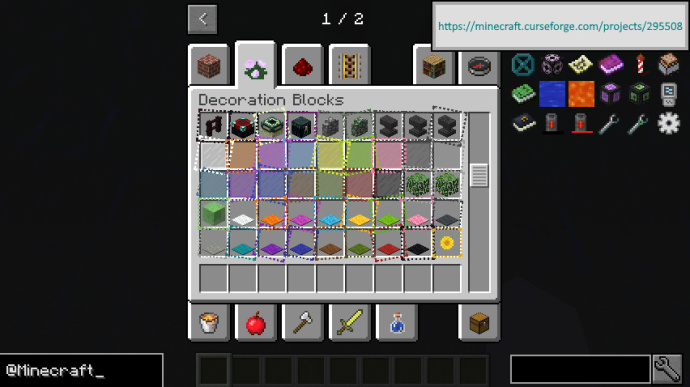
Use effect (search box added to the module in the bottom left)




In addition to other statements, MCMOD.CN, all open public editing content uses the BY-NC-SA 3.0 protocol.